As a long-time workflow consultant who has seen productivity trends shift from paper planners to early-stage LLMs, I know the frustration of “AI fatigue.” You’ve likely spent more time prompting your AI to fix its own mistakes than actually getting work done. Today, I am decoding the 2026 landscape to help you choose between the two titans—Gemini 2.0 and GPT-o3—so you can stop “testing” and start producing.
What is the best AI for productivity in 2026?
The best AI productivity tool depends on your workflow: Google Gemini 2.0 is the winner for ecosystem-heavy users needing 1M+ token context and deep Google Workspace integration. Conversely, OpenAI’s GPT-o3 is the superior choice for high-stakes reasoning, advanced coding, and complex scientific problem-solving where accuracy outweighs speed. 🎯
This Post Is For :-
- Corporate Professionals: If you live in Gmail, Docs, and Sheets.
- Developers & Researchers: If you need “Deep Think” reasoning for code and data.
- Content Creators: If you require multimodal (video/audio/text) workflows.
- Efficiency Seekers: Anyone looking to reclaim 10+ hours of their work week.
Best AI Productivity Tools of 2026: Gemini 2.0 vs GPT-o3
AI as the “Single Window System”
The most significant trend of 2026 is that AI tools are now replacing multiple specialized apps like Notion, Canva, and traditional CRMs. Instead of manual data entry, these “Super-Apps” analyze your entire business history to draft reports, design layouts, and manage customer support tickets autonomously.
- Replacing Docs & Excel: Gemini 2.0 now features Enhanced Smart Fill and auto-formatting that builds entire spreadsheets from a single voice command.
- Replacing Canva & Design Tools: Multimodal models now generate production-ready vector graphics and video clips directly within your workspace. 🎨
- Replacing CRM & Support: AI agents can now “read” your previous client interactions to handle 80% of support queries without human intervention.
Tip: Don’t buy a separate “AI Writer” or “AI Designer” anymore. In 2026, the best value is in Platform Native AI (like Gemini for Google users). You’re paying for the integration, not just the LLM.
Gemini 2.0: The Ecosystem Powerhouse
Gemini 2.0 has redefined productivity by becoming an invisible layer across the entire Google Cloud. Its standout feature is the 1-Million-Plus Token Context Window, which allows you to upload entire libraries of research or hour-long video meetings and ask specific questions without losing context.
- Native Workspace Integration: Gemini now acts as an agent, automatically drafting emails based on your Calendar and summarizing fragmented threads across Docs and Gmail.
- Multimodal Mastery: Unlike text-heavy models, Gemini 2.0 processes Voice, Video, and Live Audio natively, making it the perfect “Live Assistant” for real-time meetings.
- High-Volume Efficiency: It is significantly more cost-effective for enterprise-scale tasks compared to high-reasoning models.
Don’t just ask Gemini to “summarize.” Use the “Agentic Workflow”—tell it to “Look at my last 5 emails with Client X, find the pending action items, and draft a follow-up Doc.” It excels at cross-referencing your own data.
GPT-o3: The Reasoning Specialist
OpenAI’s GPT-o3 is not just a chatbot; it is a Reasoning Engine designed for tasks where a single error is costly. By using a “Private Chain of Thought,” GPT-o3 “thinks” before it speaks, allowing it to solve PhD-level physics problems and debug complex software architectures that leave other models hallucinating.
- Deep Research Mode: GPT-o3 can perform dozens of autonomous searches to create 1,300-word cited reports in under three minutes.
- Reasoning Effort Control: You can now toggle between “Low,” “Medium,” and “High” reasoning levels to balance speed and accuracy. 🧠
- Coding Superiority: It remains the gold standard for Vibe Coding and complex debugging, consistently outperforming rivals in technical benchmarks like AIME 2025.
Is GPT-o3 better than Gemini 2.0?
The “better” model is determined by the complexity of the task. For Creative Writing and Structured Logic, GPT-o3 wins. However, for Information Retrieval and Multimodal Context, Gemini 2.0 is the superior tool.
| Feature | Gemini 2.0 | GPT-o3 |
| Best For | Google Workspace Users | Developers & Researchers |
| Context Window | 1,000,000+ Tokens | 200,000 Tokens |
| Special Power | Native Video/Voice Processing | Private Chain of Thought |
| Cost | More Affordable (20x lower API) | Premium Pricing (Reasoning heavy) |
Common Mistakes: Where You Will Fail
Experts see users making the same three mistakes when adopting these 2026 tools:
- Using Reasoning Models for Simple Tasks: Don’t use GPT-o3 “High” effort to write a 50-word email; it’s a waste of compute and time. Use a “Flash” model instead.
- Ignoring Privacy Settings: Many users forget to toggle “Incognito” modes on OpenAI or “Workspace Privacy” on Google, leading to sensitive data being used for training.
- The “Single-Prompt” Trap: Expecting a perfect 2,000-word report in one go is a mistake. Productivity peaks when you use AI as a Collaborative Editor, iterating section by section. 🚀
To truly thrive in this new economy, you need to pair these productivity tools with the right mindset. Knowing the “Top AI Tools” is only half the battle; the other half is mastering the Top Skills for 2026 to ensure you remain indispensable in an automated world.
What Makes an AI Tool a “Productivity Tool” in 2026?
In the early 2020s, AI was a novelty that lived in a chat box; today, it is the invisible engine driving every click, meeting, and strategy. For a platform to be considered a true productivity tool in 2026, it must move beyond answering prompts and start executing outcomes autonomously. We have shifted from “Generative AI”—which simply creates—to “Agentic AI,” which acts as a digital colleague that understands your business goals, manages your calendar, and handles your data without constant hand-holding.
Key Features of Modern AI Productivity Tools
The following features define the high-performance software landscape of 2026, separating simple chatbots from professional-grade productivity engines:
- Multimodal AI (Text + Image + Voice + Video): Modern tools process multiple inputs simultaneously, allowing you to “show” your AI a video of a meeting or a sketch of a website and receive a fully functional output or summary in return.
- AI Agents (Task Execution + Planning): These are not just responders; they are autonomous workers that can break down a goal (e.g., “Organize a webinar”) into a dozen sub-tasks and execute them across different apps. 🎯
- Integration with Email, Calendar, and Docs: True productivity stems from “Contextual Awareness,” where the AI reads your Gmail threads and Google Calendar to draft replies and schedule blocks of deep work automatically.
- Real-time Research and Summarization: Tools like GPT-o3 and Gemini 2.0 now browse the live web with “Chain of Thought” reasoning to provide cited, factual reports on breaking news or market shifts.
- Automation Workflows: Using a Single Window System, these tools link your CRM, project management, and communication apps (like Slack or Teams) to eliminate manual data entry.
- Team Collaboration Features: AI now acts as a “Meeting Secretary,” generating real-time transcriptions, action items, and even “Be-Right-Back” summaries for team members who miss a portion of a call.
- Security + Privacy Controls: Enterprise-grade tools now feature Deep Visibility and “Incognito” modes to ensure your proprietary business data is never used to train public models.
Tip: When evaluating a tool, look for “Agentic Capabilities.” In 2026, the best tools don’t just tell you how to do something; they offer to “Do it for you.” If a tool can’t navigate between your email and your task manager, it’s already obsolete.
What are the main benefits of using AI productivity tools?
The primary benefits include a 20-80% reduction in time spent on administrative “grunt work,” improved decision-making through real-time data analysis, and the ability for lean teams to scale global operations without increasing headcount. By offloading procedural tasks to AI agents, humans can focus entirely on high-value creative and strategic initiatives. 🧠
Best 10 AI Productivity Tools of 2026
These tools are ranked based on their performance, ecosystem integration, speed, pricing, and practical usefulness in a professional environment. In 2026, the “best” tool is the one that reduces your “app-switching tax” and automates the most boring parts of your day.
✅ Tool #1: Gemini 2.0 (Best for Office Work + Google Ecosystem)
Why Gemini 2.0 is a Productivity Game-Changer
Gemini 2.0 has evolved from a chatbot into a native operating layer for Google Workspace. Its ability to process 1 million tokens means it can “read” your entire Google Drive to find a single sentence in a three-year-old PDF.
- Smart Email Writing: Gemini in Gmail now uses “Contextual Drafting” to write replies based on your previous tone and calendar availability.
- AI in Google Sheets: Using Enhanced Smart Fill, it predicts complex data patterns and generates formulas from plain English descriptions.
- Calendar Scheduling Automation: You can tell Gemini, “Find a time for a 30-minute sync with the marketing team next week,” and it will cross-reference everyone’s availability and send the invites. 🎯
- AI Meeting Summaries: In Google Meet, it provides real-time “Take Notes for Me” features that highlight decisions and assign action items instantly.
Best For: Students, office employees, and freelancers who live in the Google ecosystem.
Productivity Use Cases:
- Auto Report Writing: Drafting 10-page reports by pulling data from multiple Sheets and Docs.
- Resume Creation: Tailoring your resume to specific job descriptions using your stored work history.
- Email Automation: Summarizing 50+ unread emails into a 5-bullet “Morning Briefing.”
✅ Tool #2: GPT-o3 (Best AI for Deep Thinking + Planning + Multi-tasking)
Why GPT-o3 is the Best AI Assistant for Professionals
GPT-o3 is the gold standard for Reasoning and Complex Logic. While other AIs might guess, GPT-o3 “thinks” through a private chain of thought, making it nearly 97% accurate in high-level mathematics and scientific reasoning.
- Advanced Reasoning: It handles multi-layered logic tasks that require “thinking” before answering, such as auditing a financial statement or debugging a software repo.
- Goal-to-Plan Conversion: Tell it a high-level goal, and it uses Agentic Planning to break it into actionable steps, including timeline estimates.
- Business Strategy & SOPs: It excels at creating Standard Operating Procedures (SOPs) and detailed workflows that are logically sound and ready to implement.
- Coding Specialist: With its 2026 updates, it can autonomously fix bugs across an entire codebase rather than just single files. 🧠
Best For: Entrepreneurs, marketers, and developers who need high-precision “Deep Work” support.
Use Cases:
- Business Automation: Designing logic-based workflows for customer onboarding.
- Content Calendar Planning: Creating a 3-month strategy based on current SEO trends and competitor gaps.
- Data Analysis Support: Executing Python scripts to visualize messy CSV data into clean, insightful charts.
✅ Tool #3: Notion AI 2026 (Best for Notes + Work Management)
Notion AI for Team Productivity
Notion has transformed from a note-taking app into a Searchable Company Brain. Its 2026 “Notion Agent” can now search through integrated apps like Slack, Asana, and GitHub to answer questions about your team’s progress.
- AI Meeting Notes: Automatically pulls transcripts into your project pages with a summary of “Who said what.”
- Auto Project Summaries: Generates a status report for any database, highlighting overdue tasks and blockers.
- Task Planning: Converts a messy brainstorm session into a structured database with tags, dates, and assignees.
Best For: Startups, creative agencies, and remote teams needing a “Single Source of Truth.”
✅ Tool #4: Microsoft Copilot (Best for Corporate Productivity)
Copilot in Word, Excel, Outlook & Teams
For those in the Microsoft 365 world, Copilot is the ultimate Corporate Multiplier. It brings enterprise-grade security to AI, ensuring your data never leaves the “company wall.”
- Excel Automation: Ask Copilot to “Visualize the quarterly sales trend,” and it creates the charts and pivot tables for you.
- PPT Generation: Converts a Word document into a 10-slide branded presentation in seconds.
- Teams Meeting Recap: Provides a “What did I miss?” summary if you join a meeting 10 minutes late.
Best For: Corporate professionals and large-scale enterprises.
✅ Tool #5: Perplexity AI (Best for Research + Fast Answering)
Why Perplexity is the Best Research Productivity Tool
Perplexity is the Research-First Search Engine that has largely replaced traditional Google Search for power users. It doesn’t just give you links; it gives you the answer with footnotes.
- Source-Backed Answers: Every claim includes a clickable citation to a reputable website or academic paper.
- Pro Discovery: Uses “Clarifying Questions” to narrow down your search intent for more accurate results.
Best For: Researchers, bloggers, and students who need verified facts fast.
✅ Tool #6: Claude AI (Best for Long Documents + PDF Analysis)
Claude for Deep Reading and Writing
Claude 4.5 (Anthropic) is widely considered to have the most Human-Like Writing Tone and the best performance for long-form document analysis.
- Massive PDF Analysis: You can upload five 200-page policy documents and ask Claude to “Find the contradictions between them.”
- Natural Prose: It avoids “AI-speak” (words like ‘delve’ or ‘tapestry’), making it the best choice for drafting professional proposals and long-form essays.
Best For: Lawyers, policy analysts, and writers.
✅ Tool #7: Canva AI (Best for AI Design Productivity)
Canva AI for Posters, Thumbnails, Social Media
Canva’s Magic Studio has democratized professional design. In 2026, you don’t need to be a designer to create “Agency-Quality” assets.
- Magic Media: Generates high-fidelity images and short video clips from a text prompt.
- One-Click Resizing: Instantly turns a YouTube thumbnail into an Instagram Story and a LinkedIn banner without losing the layout.
Best For: YouTubers, social media managers, and small business owners.
✅ Tool #8: Grammarly AI (Best for Writing Productivity & Communication)
Grammarly AI as a Smart Writing Assistant
Grammarly is no longer just a spell-checker; it is a Communication Coach that lives in every app you use.
- Tone Correction: It flags if your email sounds “too aggressive” and offers a more collaborative rewrite.
- Snippet Management: It learns your most-used phrases and offers to “Auto-Complete” entire paragraphs.
Best For: Job seekers and non-native English speakers.
Don’t wait until graduation to build a portfolio. In the 2026 job market, showing a “Verified AI Workflow” you built yourself is more valuable than a degree alone. If you want a complete roadmap on how to turn these skills into a paycheck, check out our guide on 2026 में विद्यार्थियों के लिए ChatGPT और AI स्किल्स से आय के अवसर to start your financial journey today.
✅ Tool #9: Zapier AI / Make.com (Best for Automation Workflows)
AI Automation Tools That Save Hours
These tools are the Glues of the Internet. They allow you to build “Set-and-Forget” systems that handle repetitive tasks.
- Natural Language Zaps: Just type, “When I get a new lead in Facebook, send them a WhatsApp and add them to my Sheet,” and Zapier builds the logic.
- Lead Capture: Automates the entire journey from a customer clicking an ad to an invoice being generated.
Best For: Businesses and technical freelancers.
✅ Tool #10: Otter AI / Fireflies AI (Best for Meetings & Transcription)
AI Tools for Meeting Notes and Action Points
If your day is full of meetings, these are your Digital Secretaries. They join your calls so you can actually focus on the conversation.
- Real-time Transcription: Otter provides live captions and allows you to “tag” important moments during the call.
- Sentiment Analysis: Fireflies can tell you if a client’s tone was “Positive” or “Frustrated” during a sales call.
Best For: HR managers and sales teams.
Best AI Productivity Tools by Category
Best AI Tools for Different Productivity Needs
Selecting the right tool in 2026 is no longer about finding the “smartest” AI, but about finding the one that fits your specific workflow category. To help you stop “app-hopping,” I have categorized the top performers based on their primary strength and why they dominate their respective niche.
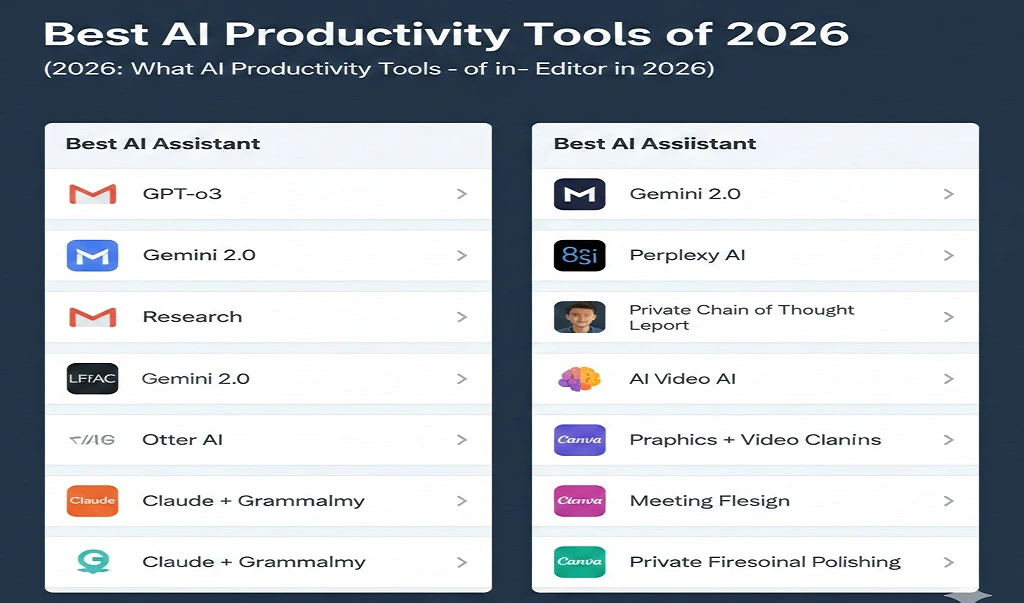
| Category | Best Tool | Why It Wins in 2026 |
| Best AI Assistant | GPT-o3 | Superior Reasoning + Complex Planning capabilities. |
| Best Google Productivity AI | Gemini 2.0 | Deepest integration with Gmail, Docs, and Sheets. |
| Best for Research | Perplexity AI | Real-time web searching with Verified Citations. |
| Best for Writing | Claude + Grammarly | Best for Long Docs + Professional Polishing. |
| Best for Design | Canva AI | Instant Graphics + AI Video generation for non-designers. |
| Best for Meetings | Otter / Fireflies | Flawless Live Transcription + Action Item extraction. |
| Best for Automation | Zapier AI | Best for building Complex Workflow Automations. |
| Best for Students | Gemini 2.0 | Ideal for Study Guides & Note Summarization in Drive. |
Choosing Your Category
Every professional has a “Primary Workspace.” If your day is spent in communication, your needs differ wildly from someone who spends eight hours a day in data analysis. The key to high-value productivity is ensuring your “Best Tool” can talk to your other apps.
- For the Strategy Minded: GPT-o3 is your best bet because it doesn’t just “chat”; it builds multi-step business strategies and SOPs (Standard Operating Procedures) that are logically sound.
- For the Ecosystem Loyalist: If your life is in the cloud, Gemini 2.0 is the clear winner. It acts as a “Single Window System” (SWS) for all your Google data. 🎯
- For the Research Professional: Stop using traditional search engines. Perplexity AI saves hours by summarizing the top 10 search results into one cited answer.
Tip: Don’t try to use all of these at once. Pick one core assistant (Gemini or GPT) and two niche tools (like Otter for meetings and Canva for design). Over-tooling is the #1 cause of productivity drops in 2026.
Which AI tool is best for daily tasks?
For daily administrative tasks like email, scheduling, and document drafting, Gemini 2.0 is currently the best choice due to its native presence inside Google Workspace. It eliminates the need to copy-paste data between a chatbot and your working documents, saving an average of 2 hours per day for office workers.
ConclusionOn Best AI Productivity Tools of 2026: Gemini 2.0 vs GPT-o3
The choice between Gemini 2.0 and GPT-o3 isn’t about which is “smarter”—it’s about which fits your digital life. If you want an AI that knows your schedule and files, go with Gemini; if you need a “Digital Brain” to solve your hardest problems, GPT-o3 is the investment to make.
Would you like me to create a personalized AI implementation plan based on your specific daily tasks? Let me know in the comments below! ✍️